Build game logic visually.
Ship real GDScript.
Hengo is a node-based visual scripting tool for the Godot editor, the graph is your source, clean GDScript is the build.
350+
ready-made actions
28
categories
Zero
runtime overhead
Everything you need to script visually
From live debugging to state machines, a full visual toolkit that outputs clean, readable GDScript.
Actions
Ready-made blocks, not wiring
Pick a block that already does the job, Move And Slide, Play Sound, Change Color, drop it on a state and fill in the fields. Search by what you want to do, not by the name of a function.

States
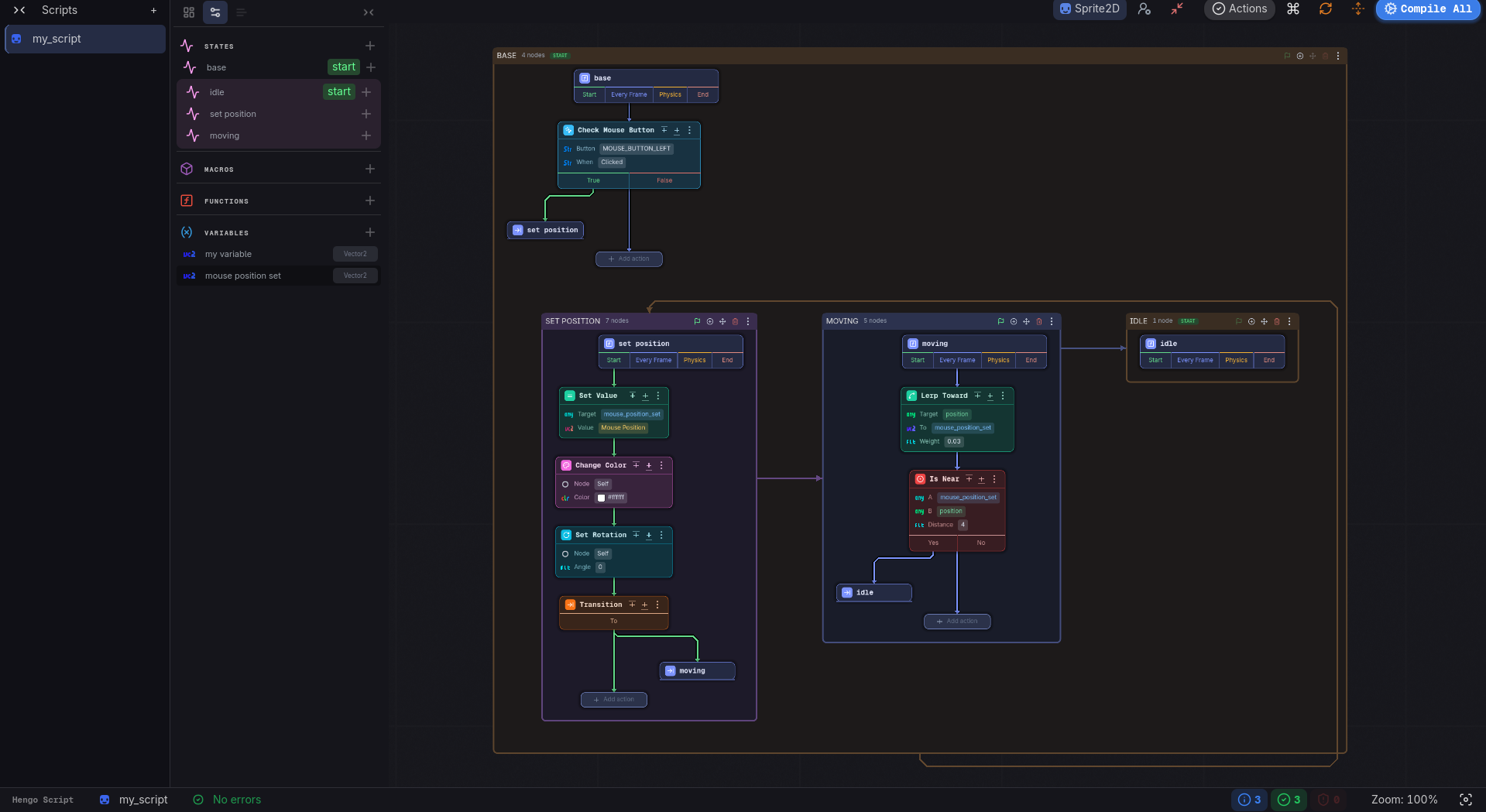
The whole machine on one canvas
Each state is a card carrying its own steps, and the transitions between them are drawn right there. Zoom out for the overview, zoom in to edit, no screen change.

Live Debugging
Watch your logic run
Press Play and pick a live object. The running state glows, the step that just fired lights up, and transitions flash as they happen.
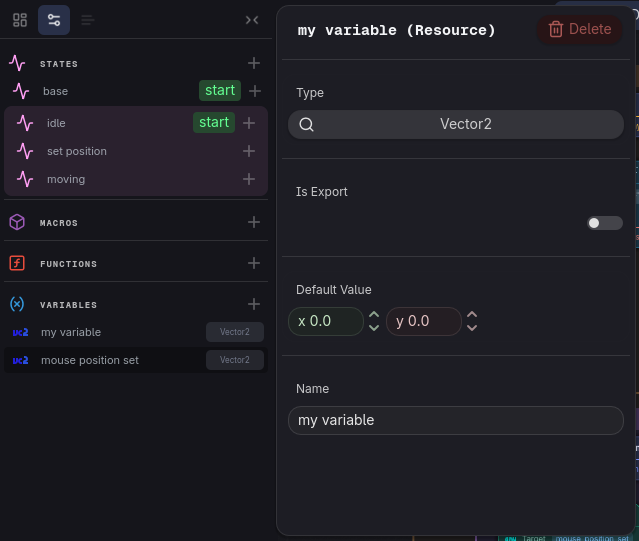
Safe Changes
Everything stays in sync
Rename a variable and every place that uses it follows. No dangling references, no hunting through the graph for what broke.
See it running
Full Godot projects built with Hengo, open them, press Play, then read the graph that drives them.
Frequently asked questions
Everything you need to know before diving in.
About Hengo
What is Hengo?
Hengo is a visual scripting tool for Godot. You build game logic on a node graph, and Hengo compiles it straight to clean GDScript, so it runs exactly like a hand-written script.
Who is it for?
Anyone building with Godot, from people learning programming logic to developers who just prefer a visual, node-based workflow.
Why use it?
Build and prototype logic visually, watch your flow run in real time, and sidestep syntax errors, while still getting real GDScript out the other end.
How is it different from Playmaker or Bolt?
Hengo is inspired by Playmaker and Bolt 2, but it is built for Godot and follows its own path, with a state-machine core and readable GDScript output.
Using Hengo
What can I build with it?
Anything you can build in GDScript, 2D or 3D, a quick prototype or a full game. If GDScript can do it, so can Hengo.
Does it handle animation, physics and AI?
Yes. Hengo calls the same Godot APIs your GDScript would, so anything the engine offers is available.
GDScript or C#?
Hengo generates GDScript (.gd). If your project uses C#, you can call the generated script from C# as usual.
Does it have debugging tools?
Yes, a live flow debugger. While your game runs, Hengo highlights the executing nodes and the active states in real time, right on the graph.
Any limitations compared to GDScript?
None. Once compiled it is just GDScript, so anything you can write by hand, you can build in Hengo.
What if I stop using Hengo?
Your work keeps running. Hengo generates a real .gd file, so the script stays intact and usable even without the plugin installed.
Learning & workflow
Do I need programming experience?
It helps. If you are brand new, spend a little time with GDScript basics first; after that, Hengo feels very natural.
What should I already know?
The basics any language needs: variables, functions and signals. Hengo uses a finite state machine under the hood, but you do not have to think about it.
Is it faster to build with than writing GDScript by hand?
Often, yes. Hengo comes with ready-made building blocks (actions, a state machine, live debugging), so a lot of common logic takes fewer steps and less boilerplate. For very specific or one-off code, writing GDScript directly can still be quicker.
Does the game run slower than with plain GDScript?
No. Hengo compiles to GDScript, so your game runs with identical performance and zero overhead.
Does it work with Git?
Yes. Your graph is stored as project files under res://hengo/, which you commit alongside the generated scripts like any other Godot resource.
What is the best way to start?
Install the addon, then follow the first-script walkthrough and experiment from there.
Read the guideStart building with Hengo
Free and open source. Drop it in your addons/ folder and go.