
The State Machine
Every Hengo script is a small state machine. This page explains the model; the canvas shows it visually.
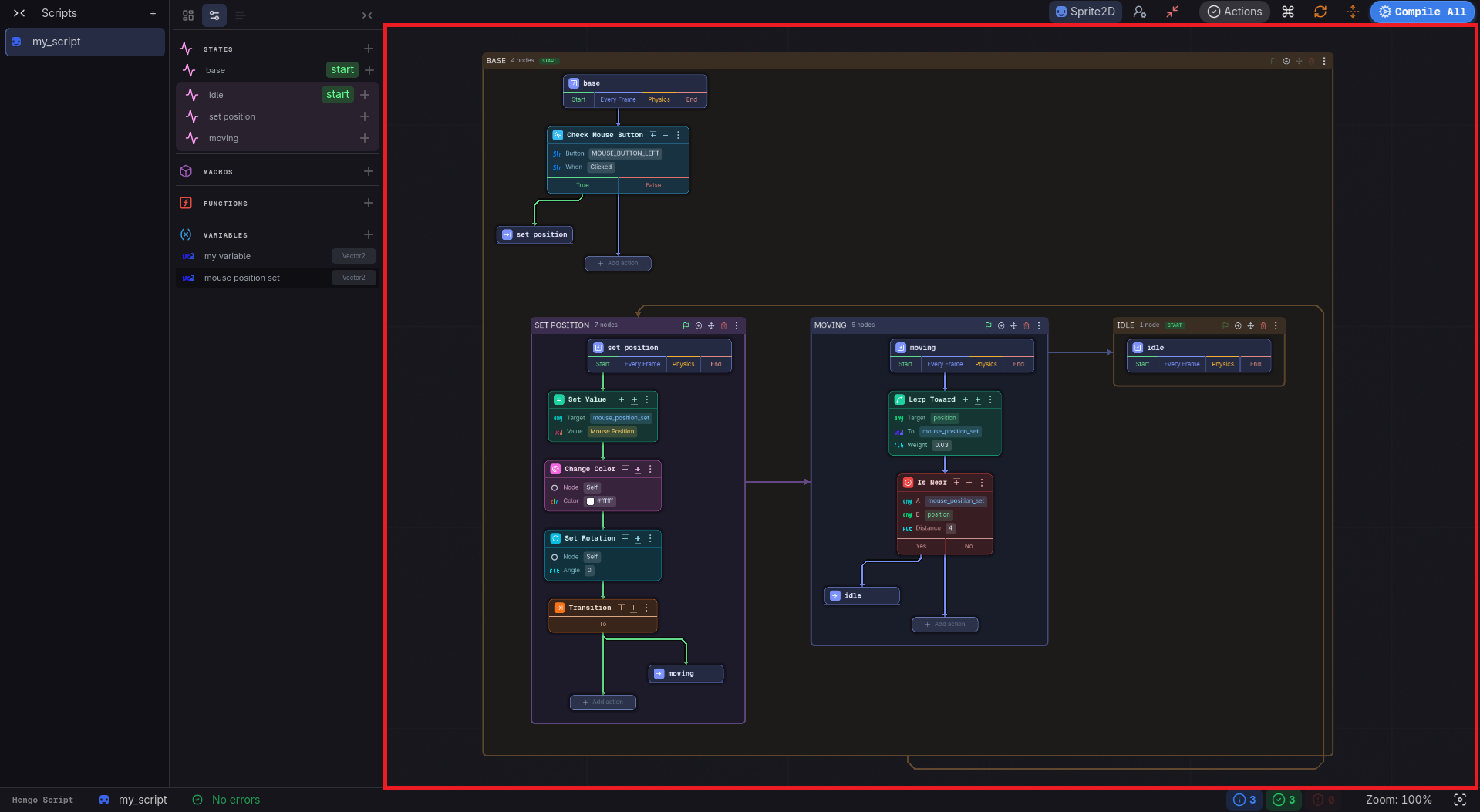
States and phases
Section titled “States and phases”A state is a mode your object is in. Each one has four lifecycle phases that run automatically, drawn on the canvas as the four cells of its entry node:
- Start: once, when the state becomes active.
- Every Frame: every frame while active.
- Physics: every physics frame while active.
- End: once, when leaving the state.
You fill a cell by clicking it and picking an action.
The start state
Section titled “The start state”Exactly one (non-sub) state must be marked as the start state: it’s entered when the object is ready. Marking one start state clears the flag on its siblings. Compiling without a start state is an error.
Transitions
Section titled “Transitions”States move to other states through transitions. At runtime, changing state runs the current
state’s exit, then the target’s enter. A state can also go back to whichever state ran
before it.
Sub-states
Section titled “Sub-states”A state can contain sub-states: a nested machine. The parent’s start sub-state is entered
automatically. Use them to model modes within a mode (e.g. an Airborne state with Jumping /
Falling sub-states).
Cross-script transitions
Section titled “Cross-script transitions”A state in one script can transition a machine in another script. The target picker lists the states of every script in the collection, and picking one asks for two more things: which node instance to drive, either bound to a variable or given as a node path, and a Validate checkbox that skips the transition when that instance is gone.
Hengo tracks the dependency and, on the canvas, qualifies the target with the owning script’s name. It replaces the usual alternative, a pile of booleans two scripts both poke at.
Under the hood
Section titled “Under the hood”Each compiled script gets a state controller. States become nested classes with enter / update
/ exit; _ready enters the start state and _process / _physics_process drive the active one -
all plain GDScript you can open under res://hengo/scripts/.