
Settings
Open Settings from the gear button in the top bar. It is an inspector popup grouped by section.
General
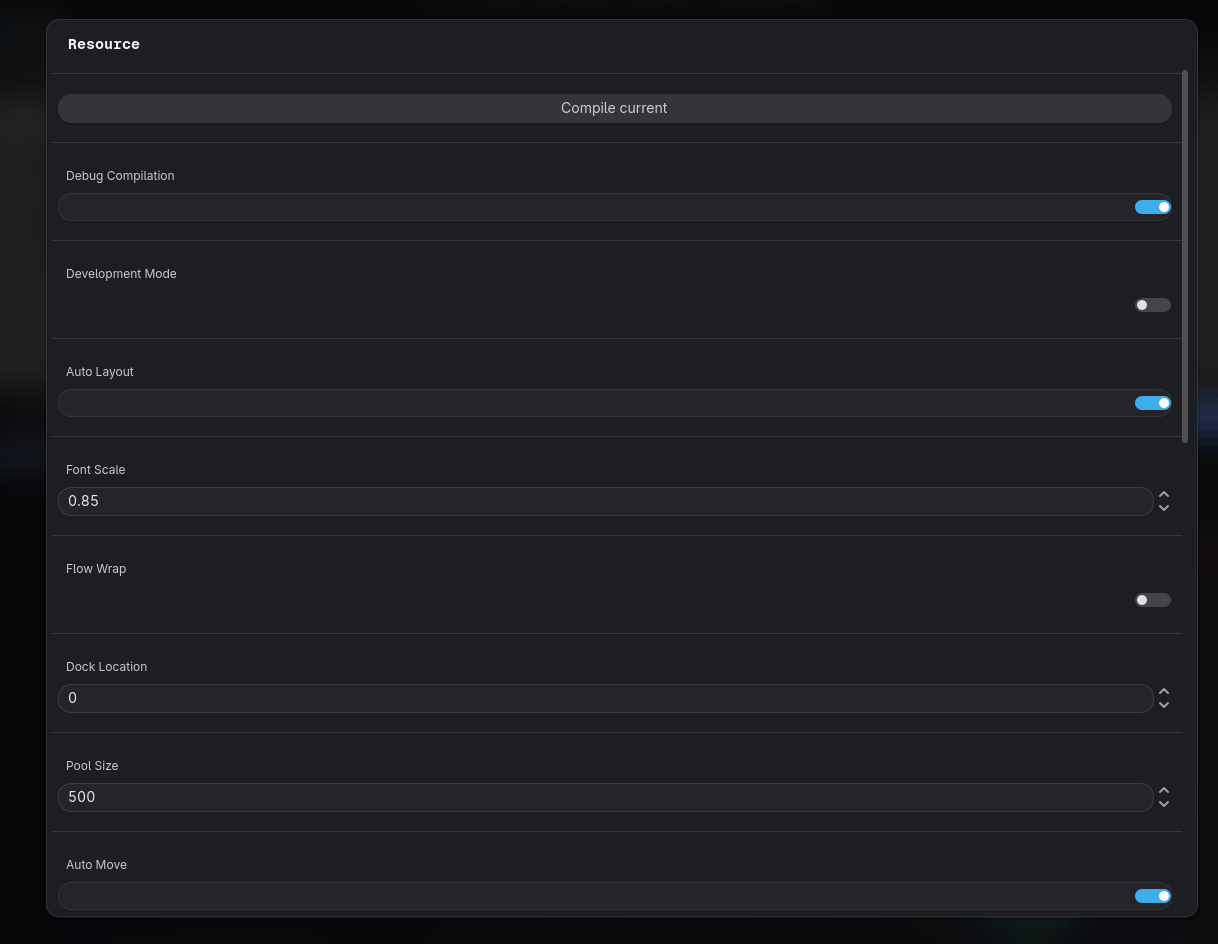
Section titled “General”- Debug Compilation (default on): emits the markers live debugging needs. Recompile after changing it.
- Development Mode (default off): removes the
.gdignorefromhengo/collections/so Godot imports the source resources. See Source & Build.
Interface
Section titled “Interface”- Font Scale (0.5 – 1.5, default 0.85): rescales Hengo’s UI text live. The canvas is not affected, that is what zoom is for.
- Flow Wrap: wraps a long chain of steps into columns instead of letting it run off to the right. The Flow layout button in the top bar toggles the same thing.
- Dock Location: Bottom, Left or Right. Re-docks the plugin immediately.
- Min Zoom and Max Zoom: how far the canvas can go in each direction.
- State Rows Zoom and State Lines Zoom: the zoom levels below which a card stops drawing its values, and then its wires, so a far-out view stays readable and fast.
- Zoom Increment: how much one wheel notch moves.
- Zoom Rate: how quickly it eases to the new level.
Godot’s own project settings
Section titled “Godot’s own project settings”A few options live in Godot’s Project Settings under hengo/, not here. See
Installation.