
Dashboard & Collections
The Dashboard is what you see when no script is open. It’s the home for collections, the named groups of scripts you load together.
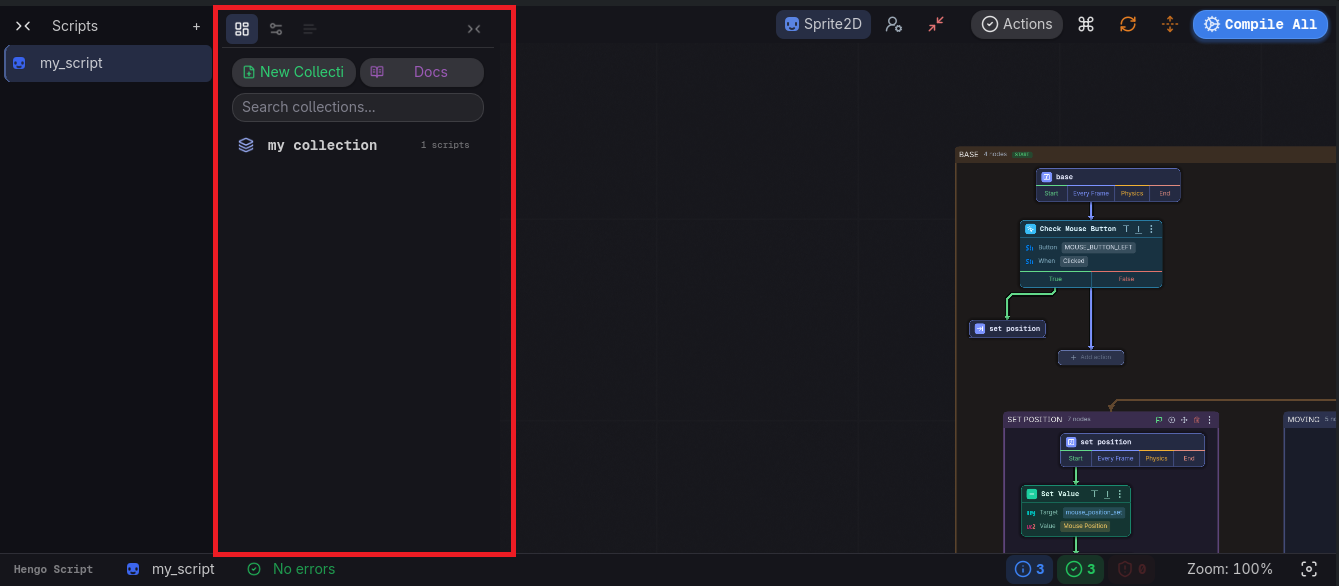
On the screen
Section titled “On the screen”- Quick actions: New Collection, and Docs, which opens this site in your browser.
- Search collections…, which filters the list below it.
- Collections: one row each, with an icon, the name, and how many scripts it holds or when it was last touched. The two buttons on the right rename and delete it. Click the row to load that collection.
Creating a collection opens a small dialog (Collection name → Create). Deleting one asks to confirm, it removes the collection and all its scripts.
Opening and switching
Section titled “Opening and switching”- Open a collection from the Dashboard to load all its scripts.
- Create a script with the + in the expanded Scripts rail on the far left: a name, the class it extends, then Create and Open.
- Switch between the open scripts from that same rail (no disk I/O).
- The Dashboard tab in the side panel brings this screen back at any time.