
Properties
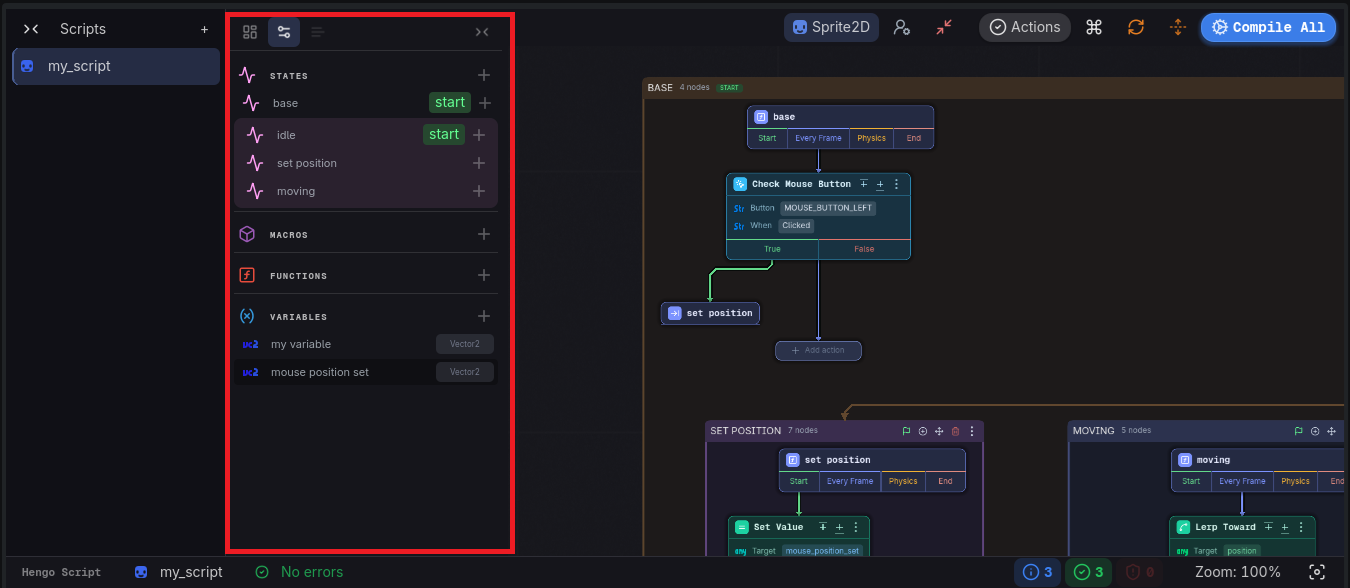
The Props tab is the outline of the current script. Everything you create here becomes something you can place or navigate on the canvas.
Categories
Section titled “Categories”Four collapsible categories, each with a New … button:
| Category | Button | What it holds |
|---|---|---|
| States | New State | The machine. Each row shows a start badge and has its own New Substate |
| Macros | New Macro | Reusable pieces of state machine |
| Functions | New Function | Named lists of steps |
| Variables | New Variable | Values the script keeps, each row showing a type badge |
A search field filters the list.
Working with items
Section titled “Working with items”- Left-click a row → go to that item. A state focuses it on the canvas; a function or a macro opens its own route, and the route bar shows where you are.
- Right-click a row → the inspector popup, titled with the item’s name, with a red Delete in the corner. Delete is undoable and asks first.
A variable created here is available to every action field, either as a binding or as the place an action stores its result.
Editing a variable
Section titled “Editing a variable”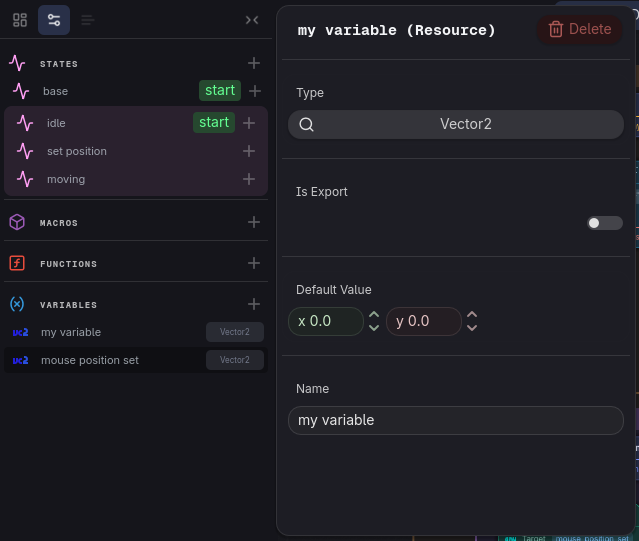
- Type: searchable, and it drives which fields the variable can feed.
- Is Export: exposes the variable in Godot’s inspector on the node that carries the script.
- Default Value: what it holds before anything writes to it.
- Name: renaming updates every action that reads the variable.
- Delete: any action still pointing at it reports an error.
Functions and macros
Section titled “Functions and macros”Both own a canvas of their own, and both are set up from the same popup: Name, Inputs, Outputs (functions only), Branches, and for a macro also Entries, the named places its machine leaves for each use to fill.
The guided path builds one of each, with the whole story behind them: Functions and Macros.